Chapter 1 System Overview
This chapter answers "what is this system" — its positioning, the main business flow, the panorama, and the two ways to log in.
1.1 Product Positioning
Wholety is a B2B inventory & trade management system for import / cross-border trade. It covers the full chain from purchasing, stocking, selling, shipping, to settlement, with built-in finance, dashboards, and a self-service portal for downstream merchants.
Target users: operations, purchasing, warehouse, finance, customer service, and downstream merchants.
1.2 Core Business Flow
The whole system is essentially one loop:
st=>start: Supplier
op1=>operation: 1. Purchase order (supply-chain order)
op2=>inputoutput: 2. Stock-in -> physical stock +
op3=>operation: 3. Sale order (freeze / occupy)
op4=>inputoutput: 4. Stock-out -> downstream merchant
op5=>subroutine: 5. Supply settlement (AP)
op6=>subroutine: 6. Sale settlement (AR)
e=>end: Profit to dashboards
st->op1->op2->op3->op4->op5->op6->e
- Purchase: create a supply-chain order to a supplier, record purchase price.
- Stock-in: goods arrive → stock-in to warehouse → physical stock is created.
- Sale: create a sale order to a merchant → freezes stock.
- Stock-out: ship from warehouse → releases the frozen stock.
- Settlement: supply-chain settlement (AP) and sale settlement (AR) close the loop.
1.3 System Panorama
st=>start: Five business domains
a=>operation: Product: category / brand / SKU / price
b=>operation: Supply chain: supplier / order / freight / settlement
c=>operation: Sale: merchant / order / return / settlement
d=>operation: Warehouse: in / out / transfer / count
f=>operation: Finance: AP-AR / invoice / tax
g=>parallel: Data outlets
h=>subroutine: Overview dashboard (managers)
i=>subroutine: Merchant purchase portal (self-service)
e=>end: System administration supports all (members/tax/approval/FX)
st->a->b->c->d->f->g
g(path1, bottom)->h->e
g(path2, right)->i->e
- Product is the foundation — no SKU, no orders.
- Supply Chain / Sale / Warehouse / Finance are the four operating domains, flowing in that order.
- Dashboards are read-only summaries of every domain.
- Merchant Purchase Portal is the downstream merchants' self-service entry.
- System Administration handles accounts, roles, tax zones, approvals, exchange rates.
1.4 Two Entry Points
| Entry | Who uses it | What you can do |
|---|---|---|
| Admin console | Operations / purchasing / warehouse / finance | All back-office operations: orders, stock, finance, admin |
| Merchant Purchase Portal | Downstream merchants | Browse products, add to cart, place orders, track own orders |
Both share one account system; the difference is the role. A merchant account sees only the "Merchant Purchase" menu after login.
1.5 Login & UI Tour
- Open https://dash.wholety.com and log in with your assigned account.
- Top-left: the menu (collapsed on narrow screens; tap the hamburger to expand).
- Top-right: avatar (personal center / change password), language switch.
- Center: the content area — lists, forms, and dashboards.
- Many pages use tabs to separate sections (e.g. price / discount on a product).
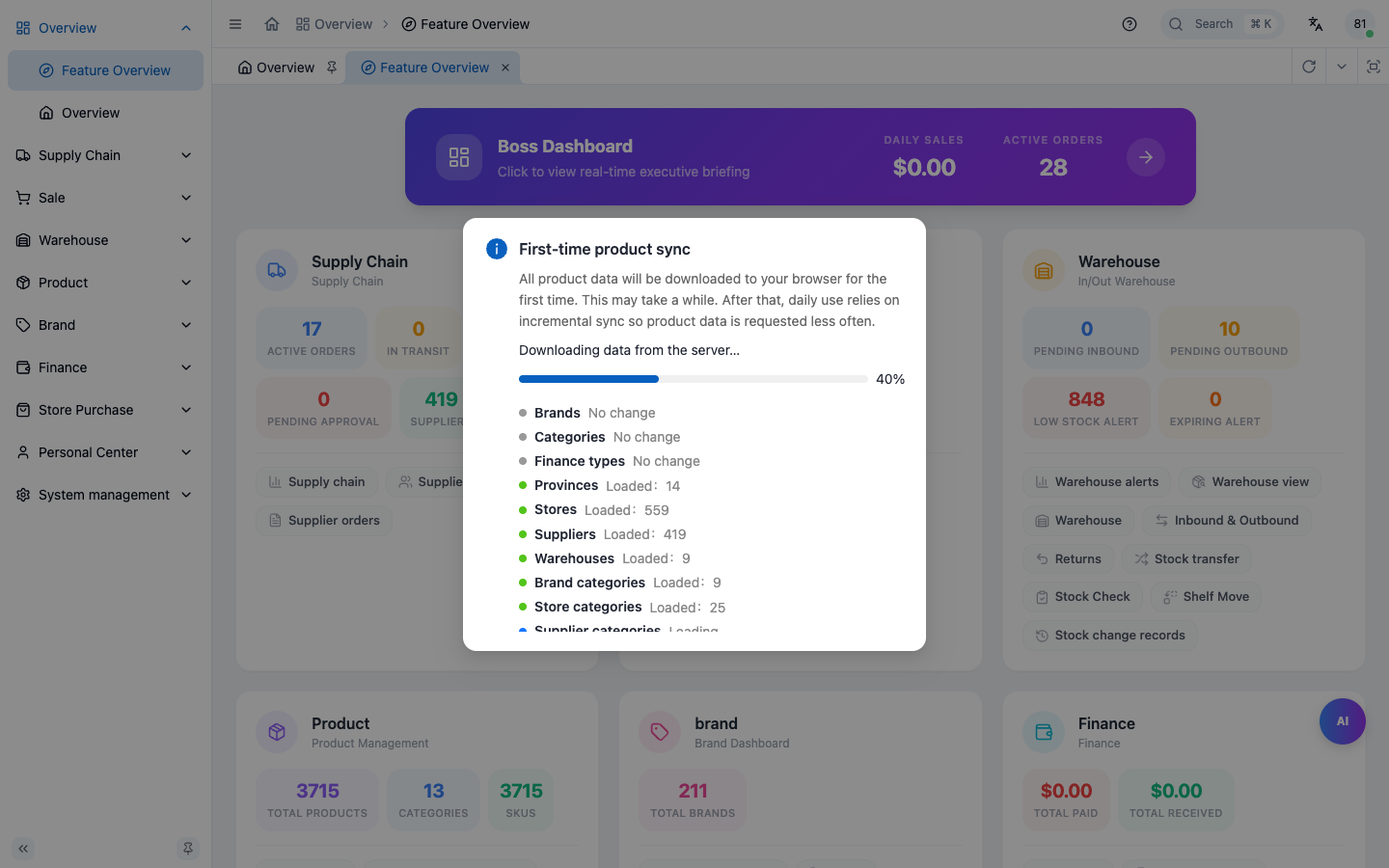
The system UI labels in this deployment are in English by default; menu structure and fields are identical to what this manual describes.
Chapter Summary
- Wholety is a B2B inventory & trade system for import / cross-border.
- One loop: Purchase → Stock-in → Sale → Stock-out → Settlement.
- Five domains + dashboards + merchant portal + system admin.
- Two entries: admin console (staff) and merchant portal (merchants), same account system, different roles.
- Login at dash.wholety.com; personal center is top-right.
Next: Core Concepts & Glossary — the terms you must know before using any module.